
Create New Experience
Create and Configure Recommendation Experiences in Unbxd
Follow the steps given below to create a new experience.
- Log in to the Unbxd Recs console. The Experience page opens by default.
- Click Create Experience located on the right of the screen. The Experience Details page appears.
Create New Experience
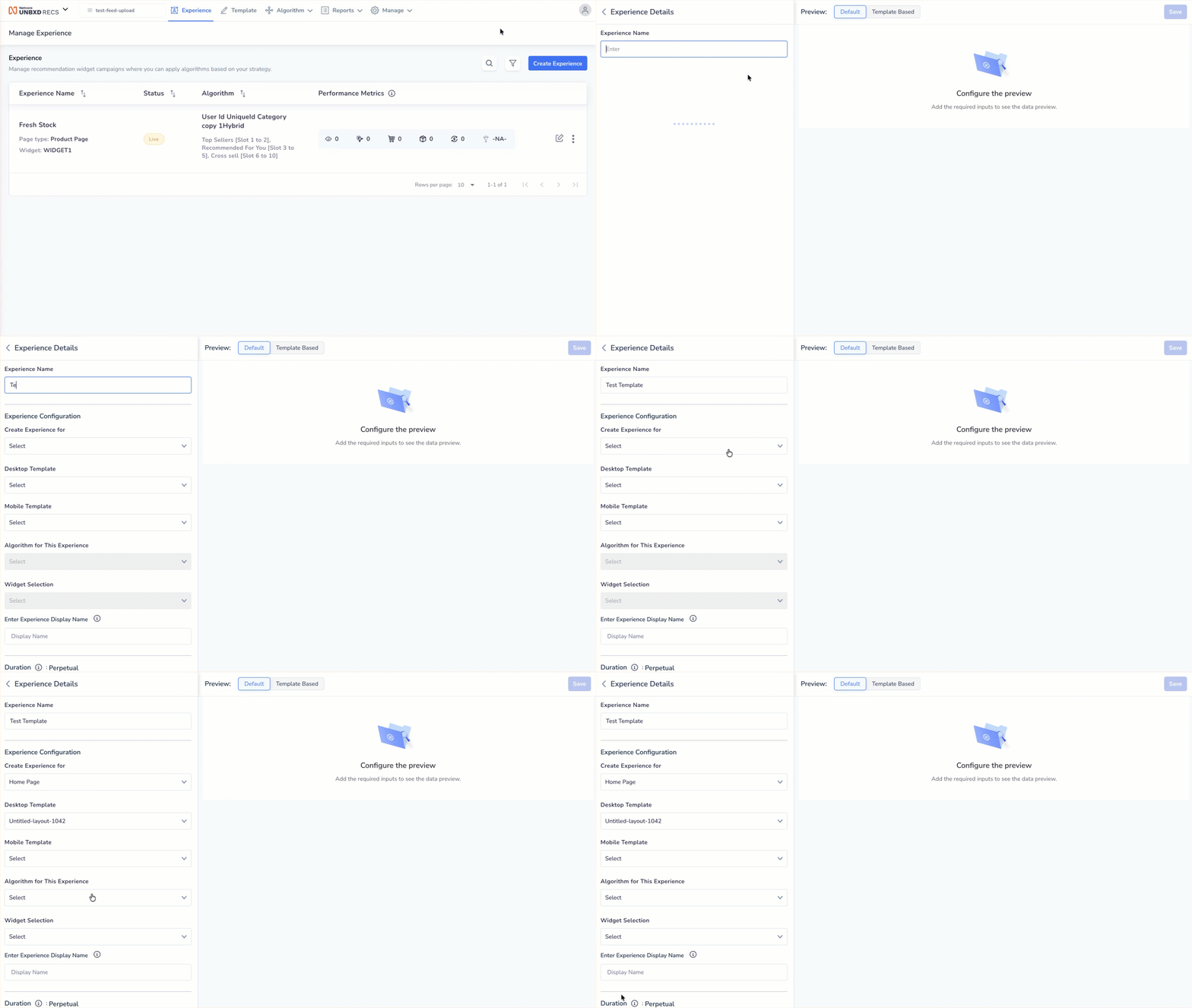
Create a New Experience
Refer to the given table to know the Experience configuration options. You can run customized recommendation strategies across different pages by configuring these options.
| Field | Description |
|---|---|
| Experience Name | Provide a name for your experience. |
| Create experience for | Select the page type where this recommendation experience will run. The options in the dropdown are: Home Page, Product Page, Category Page, Cart Page, Brand Page, Boutique Page, Complete The Look, Journey Page, Broadcast Page |
| Desktop Template | Select from the dropdown a layout for how the recommendation widget will appear on desktop devices. |
| Mobile Template | Select from the dropdown a layout for how the widget will appear on mobile devices. |
| Run your Experience with | Select the recommendation logic that decides which products will be shown in the widget. This defines how recommendations are generated. |
| Place your Experience | Select where this widget will appear on your site’s page layout. |
| Experience Display Name | Enter the name of the experience/ widget available to your shoppers on your website or app. Example: Recommended for you, Frequently bought together, and so on. |
| Duration | Define how long the experience should run. The options here are:
|
Updated 6 months ago
Did this page help you?